askrobots / dbbasic-screenshot
Public
Screenshot Annotator for macOS: capture all or part of the screen and add arrows, boxes and text.
README.md · 1.6 KB · 68 lines
Screenshot Annotator
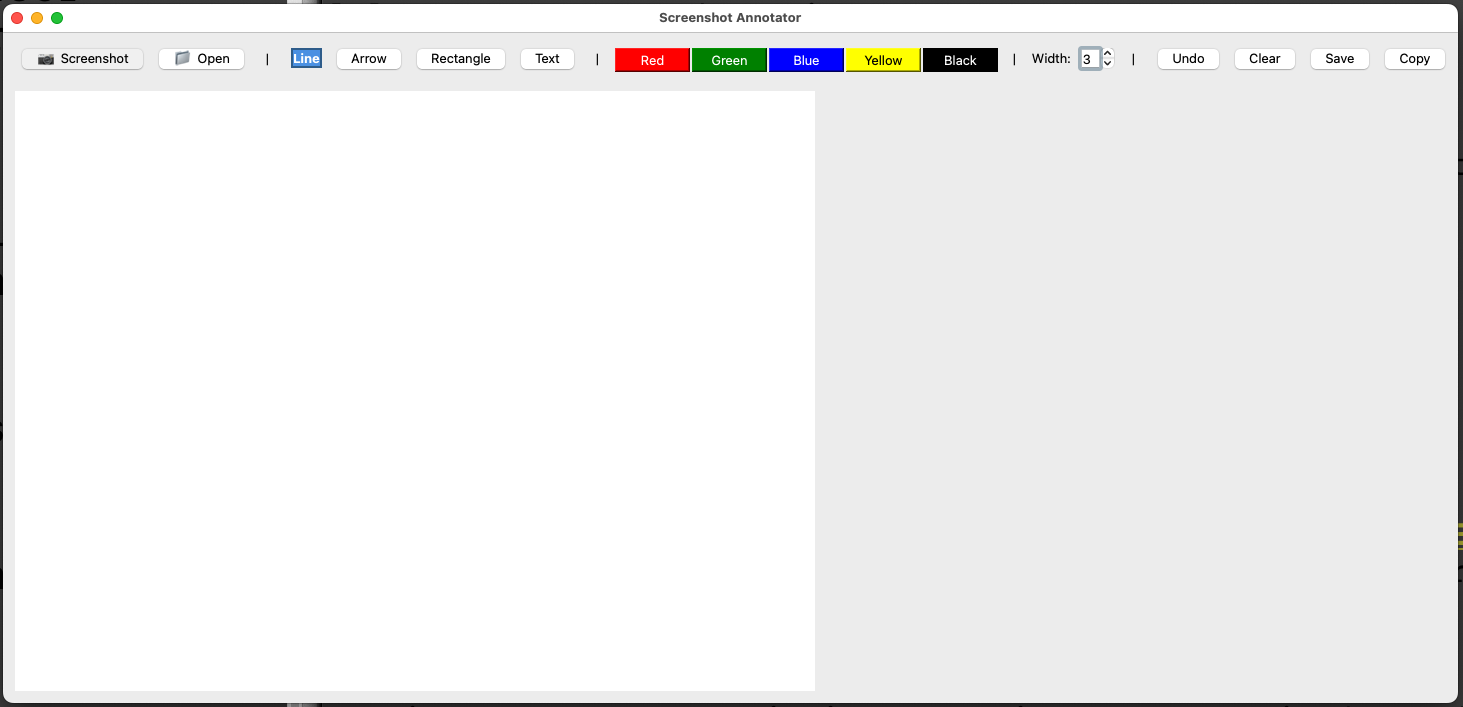
A fast screenshot annotation tool for macOS. Capture screenshots (full or partial) and quickly annotate them with lines, arrows, rectangles, and text.
Features
- Capture partial screen areas (click and drag to select)
- Draw lines, arrows, and rectangles
- Add text annotations
- Multiple colors (red, green, blue, yellow, black)
- Adjustable line width
- Undo functionality
- Save to file or copy to clipboard
Installation
From PyPI (recommended)
pip install dbbasic-screenshotFrom source
git clone https://github.com/askrobots/dbbasic-screenshot.git
cd dbbasic-screenshot
pip install -e .
Usage
After installation, just run:
dbbasic-screenshotWorkflow
- When launched, choose to capture a new screenshot or open an existing image
- For new screenshots: Click and drag to select the area you want to capture
- Use the toolbar to select tools and colors
- Draw annotations on your screenshot
- Save or copy to clipboard
Tools
- Line: Draw straight lines
- Arrow: Draw arrows to point at things
- Rectangle: Draw boxes around areas
- Text: Click to add text labels
Tips
- The partial screen capture is fast and easy - click and drag to select only the area you need
- Use different colors to highlight different types of information
- Adjust line width for thicker or thinner annotations
- Text annotations use a clear, bold font
Requirements
- macOS (uses native screencapture command)
- Python 3.7+
- PyQt5
- Pillow