Plain Git hosting.
Push and clone over HTTPS or SSH, keep repositories public or private, and read your code in the browser. One plan, $25 a month.
Add it to a project you already have
Make the repository on GitStable first, then push to it. Your other remotes stay as they are.
# over HTTPS
git remote add gitstable https://gitstable.com/git/you/project.git
git push gitstable main
# or over SSH (add your key under SSH keys first)
git remote add gitstable ssh://git@gitstable.com:2222/you/project.git
What works today
- Push and clone over HTTPS or SSH
- Public or private repositories
- Browse files and download a zip from the browser
- SSH keys on your account
A big number isn't always a good package
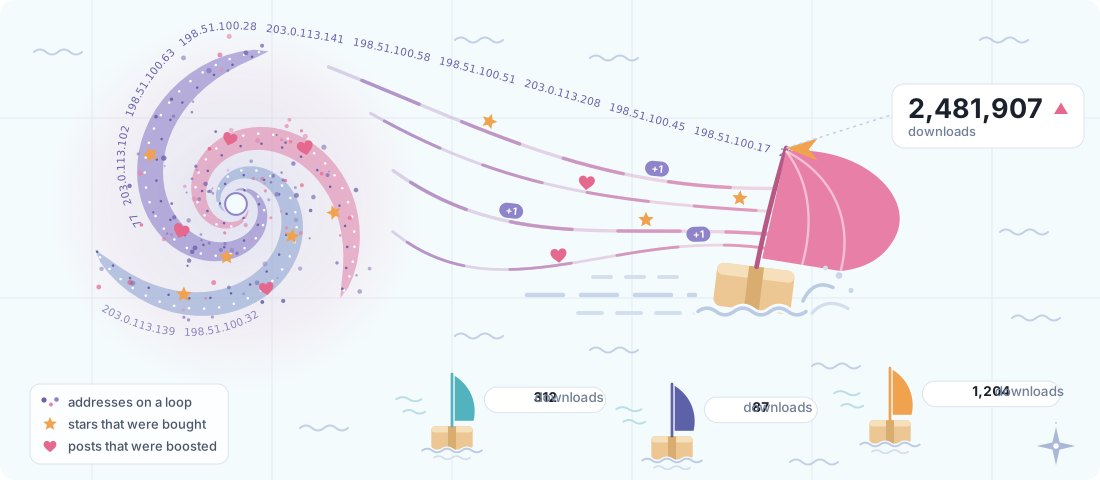
Some packages get a storm behind them: thousands of addresses downloading on a loop, and stars and posts that were paid for. GitStable has no stars to buy. A download is a clone, a fetch or a zip. It counts once an hour for each account or address, and not at all when it's the owner, signed in.
Coming next
- Pay by card, through Stripe
- Payments from AI agents (x402), so an agent can pay for access by itself
Pricing
$25a month, one plan
Unlimited repositories. See pricing
Things people do with git
Git isn't only for code. Each of these has a page: how people use git for it, well-known examples, and the projects hosted here.
- Apps and toolsPrograms people run: command-line tools, desktop and phone apps, servers.26 on GitStable
- Libraries and packagesCode that other code imports, released by tag.11 on GitStable
- GamesBrowser games, engine projects and game jams, every version kept.
- WebsitesSites and web apps, from a personal page to a whole service.4 on GitStable
- Plugins and extensionsBrowser extensions, userscripts and add-ons for other programs.1 on GitStable
- AI prompts, skills and agentsPrompt libraries, agent skills, MCP servers and eval sets.1 on GitStable
- DocumentationManuals and guides kept next to the code they describe.1 on GitStable
- Awesome listsHand-picked links on one topic, improved by suggestions.
- Data and git scrapingDatasets, and scheduled jobs that commit data so the history becomes a time series.
- Books and writingBooks, papers and posts, with every draft kept.
- Notes and knowledge basesPersonal wikis and note vaults, synced through git.
- Settings files (dotfiles)Shell and editor settings, set up on a new machine in one command.
- Infrastructure as codeServers, networks and deployments described in files.
- Science and notebooksNotebooks, data and the paper together, so results can be reproduced.
- Teaching and coursesCourse material, exercises and one copy per student.
- Hardware and 3D printingCircuit boards, firmware and printable models.
- Fonts, icons and designTypefaces, icon sets and artwork, every version kept.