askrobots / dbbasic-copypaste
Public
A clipboard manager for macOS: browse your clipboard history, text and images, and restore any item.
README.md · 2.0 KB · 84 lines
dbbasic-copypaste
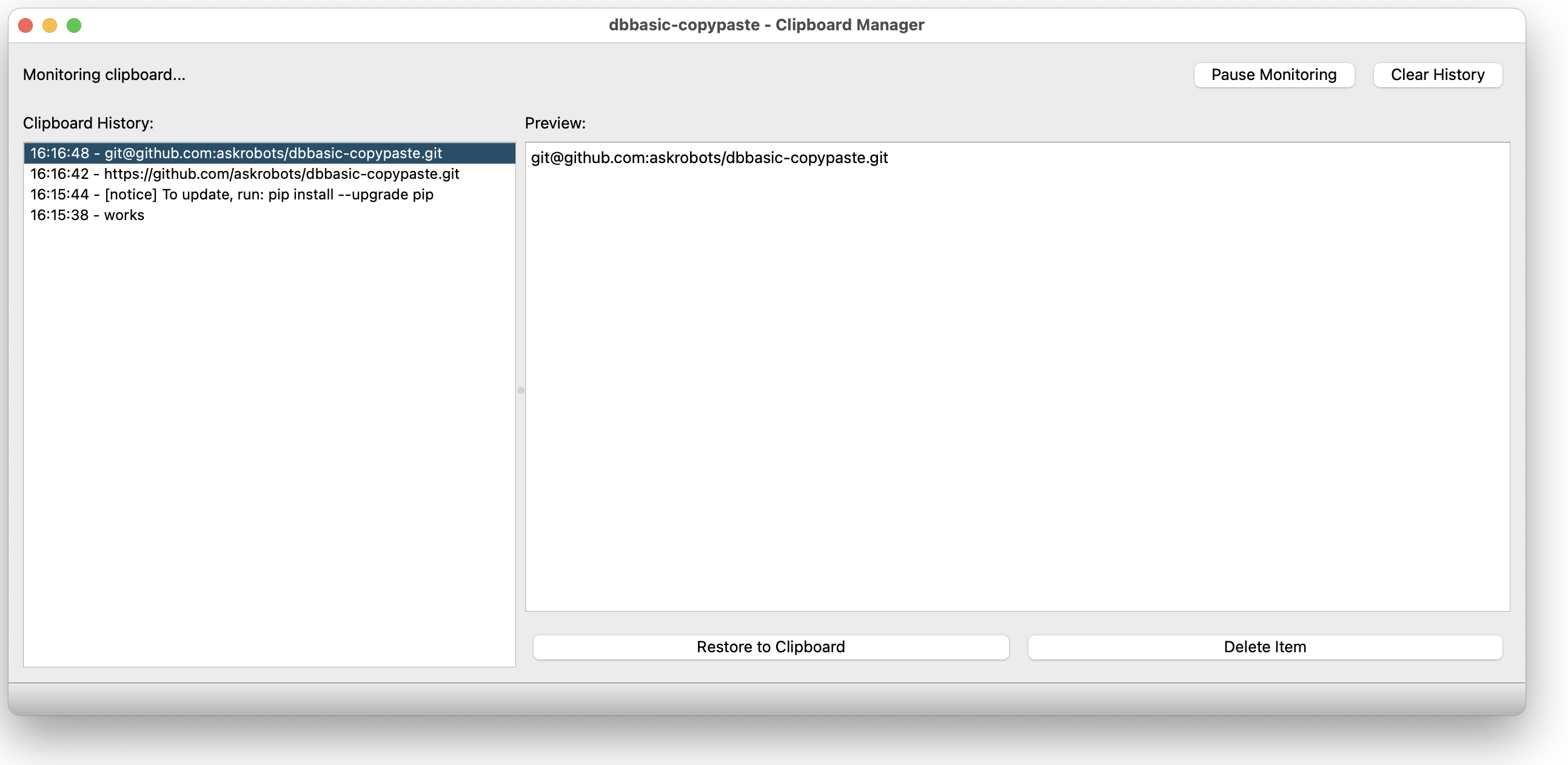
A clipboard manager with history for macOS. View your current clipboard, browse through clipboard history, and restore previous items.
Features
- Real-time monitoring - Automatically tracks clipboard changes
- Text and image support - Handles both text and image clipboard content
- History browsing - View up to 100 previous clipboard items
- Easy restoration - Click to restore any previous item to your clipboard
- Preview - See full content before restoring
- Pause/Resume - Control when monitoring is active
- Clean interface - Simple, easy-to-use PyQt5 interface
Installation
From PyPI (recommended)
pip install dbbasic-copypasteFrom source
# Clone the repository
git clone https://github.com/askrobots/dbbasic-copypaste.git
cd dbbasic-copypaste

# Install dependencies
pip install -r requirements-qt.txt

# Install the package
pip install -e .
Usage
Run the application:
dbbasic-copypasteOr run directly with Python:
python -m dbbasic_copypasteControls
- History List - Shows your clipboard history with timestamps
- Preview - Displays the full content of the selected item
- Restore to Clipboard - Copies the selected item back to your clipboard
- Delete Item - Removes the selected item from history
- Pause/Resume Monitoring - Temporarily stop tracking clipboard changes
- Clear History - Removes all items from history
How it works
The app monitors your system clipboard every 500ms for changes. When new content is copied:
- Text content is stored and displayed in the preview pane
- Images are captured and shown as thumbnails
- Items are added to the history list with timestamps
Click any item in the history to preview it, then use "Restore to Clipboard" to copy it back.
Requirements
- Python 3.7+
- PyQt5 >= 5.15.0
- Pillow >= 10.0.0
- macOS (tested on macOS, may work on other platforms)
License
MIT License - see LICENSE file for details
Author
askrobots